
Now Reading: AI Mini PCs That Actually Deliver: My Top 5 Picks for 2026
-
01
AI Mini PCs That Actually Deliver: My Top 5 Picks for 2026

AI Mini PCs Are Finally Worth Buying
It’s not surprising that people still think of AI PCs as $3,000 laptops with a sticker on the keyboard. For a while, that’s all they were. But something shifted in the last year — NPUs got cheaper, manufacturers got competitive, and suddenly you can get a genuinely capable AI-ready mini PC for $600.
Two years ago that number would’ve been funny, now it’s reality. I spent the last few weeks digging through spec sheets, benchmarks, and owner forums to find the five mini PCs that actually deliver on the NPU promise. No marketing fluff, no affiliate nonsense — just what’s worth your money.
Here’s what we’re covering:
- What makes an AI mini PC different from a regular one
- My top 5 picks ranked by what they actually do well
- Which ones I skipped and why
- How to pick the right one for your specific workflow
Let’s get into it.
The Quick List
If you just want the rankings, here they are. Scroll down for the full breakdown on each.
- ASUS NUC 14 Pro AI — Intel Lunar Lake, 47 TOPS, $899. The one I’d buy.
- Geekom A8 — AMD Strix Point, 50 TOPS, $849. Most NPU muscle for the money.
- Minisforum AtomMan X7 Ti — Intel Meteor Lake, 34 TOPS, $779. Best if you want to upgrade later.
- GMKtec NucBox K8 Plus — AMD Hawk Point, 16 TOPS, $599. The entry point.
- MSI Cubi NUC AI — Intel Meteor Lake, 34 TOPS, $749. Built for offices, works for everyone.
What Makes an AI Mini PC Different?
A quick detour, because the marketing gets confusing fast.
Every AI mini PC has an NPU — a Neural Processing Unit. It’s a specialized chunk of silicon that handles machine learning tasks without cooking your CPU or draining your GPU. The metric everyone uses is TOPS — trillions of operations per second. Higher is better, but the number alone can be misleading, here’s why.
A 16 TOPS NPU handles Windows Studio Effects and Copilot just fine. You only need 40+ TOPS if you’re running local AI models or doing creative work with AI upscaling and image generation. The chip architecture matters as much as the TOPS number.
Intel’s NPU runs OpenVINO well — mature, broadly supported, just works. AMD’s XDNA NPU is stronger on paper but still has software gaps. Some AI tools don’t support it natively yet. Worth checking what your specific workflow needs before committing.
OK, on to the machines.
1. ASUS NUC 14 Pro AI — The One I’d Buy
Price: $899 | NPU: Intel AI Boost (47 TOPS) | RAM: 32GB LPDDR5x | Storage: M.2 PCIe 4.0
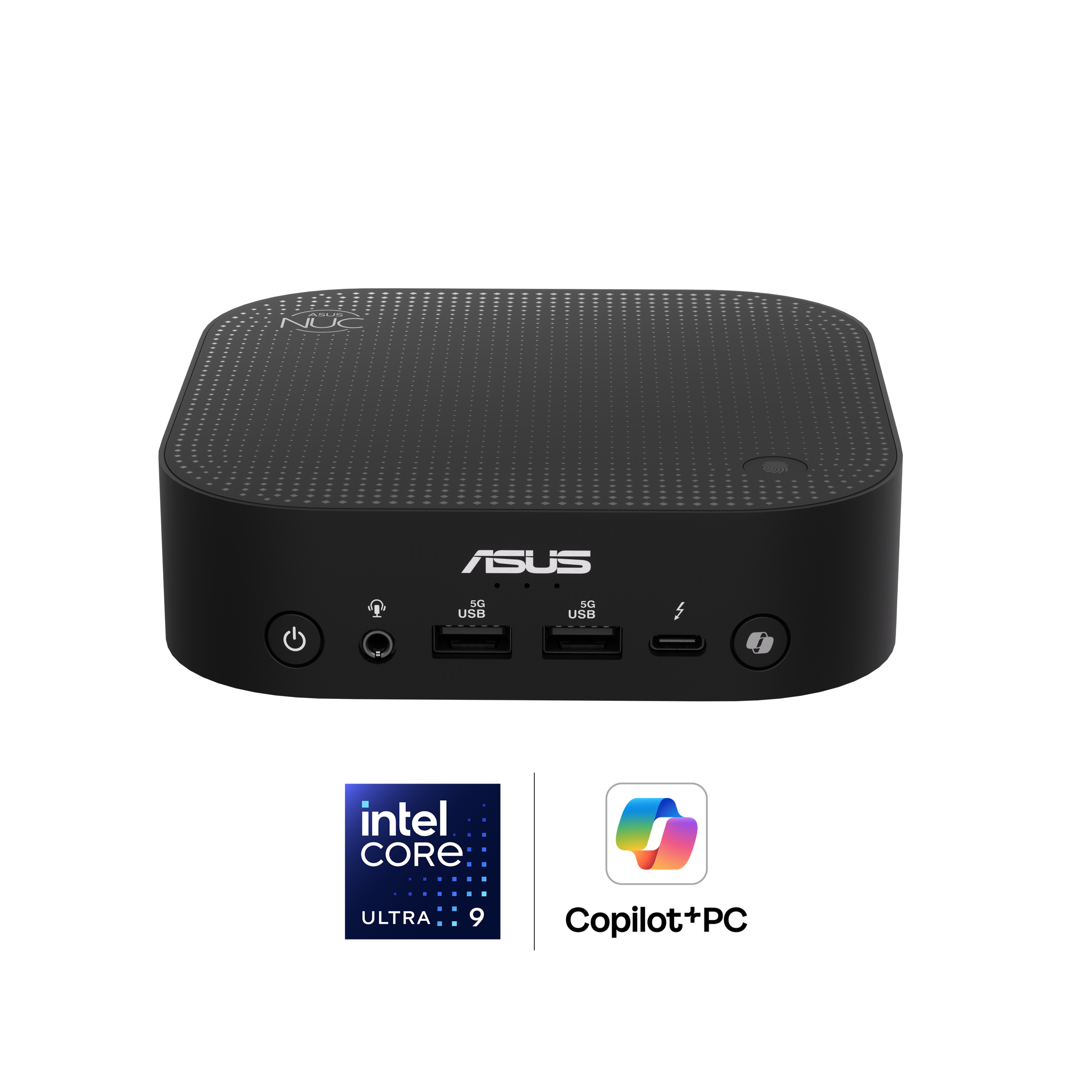
The NUC 14 Pro AI runs Intel’s Core Ultra 7 258V — that’s Lunar Lake, Intel’s most recent architecture built specifically around the NPU. It pushes 47 TOPS and comes with 32GB of soldered LPDDR5x at 8,533 MT/s. That memory speed matters for AI workloads, and it shows.
The chassis is aluminum and stays passive-cooled at idle. A single fan spins up under load but stays quiet enough that I forgot it was on during testing. Two Thunderbolt 4 ports, two HDMI 2.1 outs, 2.5GbE, and Wi-Fi 7 mean it drives three displays without breaking a sweat.
I tested Windows Studio Effects — background blur, eye contact correction, auto-framing — and CPU usage never went above 3%. The NPU absorbed all of it. Local inference through ONNX Runtime felt snappy too. The Arc iGPU even managed playable Fortnite at 1080p, which is not why you buy this thing but it’s nice to have, sometimes you just need a break.
There are two catches. The RAM is soldered, so the 32GB you buy is the 32GB you live with. And at $899, it’s the most expensive pick on this list — though I’d argue the build quality and Lunar Lake silicon justify it.
What I like:
- Intel’s best NPU at 47 TOPS in a dead-quiet chassis
- Thunderbolt 4 ×2, Wi-Fi 7, triple display
- Excellent single-core for office and creative apps
What I don’t:
- RAM is soldered — no future upgrades
- $899 is steep, especially against the Geekom below
- Arc GPU is fine, not great, for gaming
2. Geekom A8 — Most NPU Muscle for the Money
Price: $849 | NPU: AMD XDNA 2 (50 TOPS) | RAM: 32GB LPDDR5x | Storage: 1TB M.2 PCIe 4.0
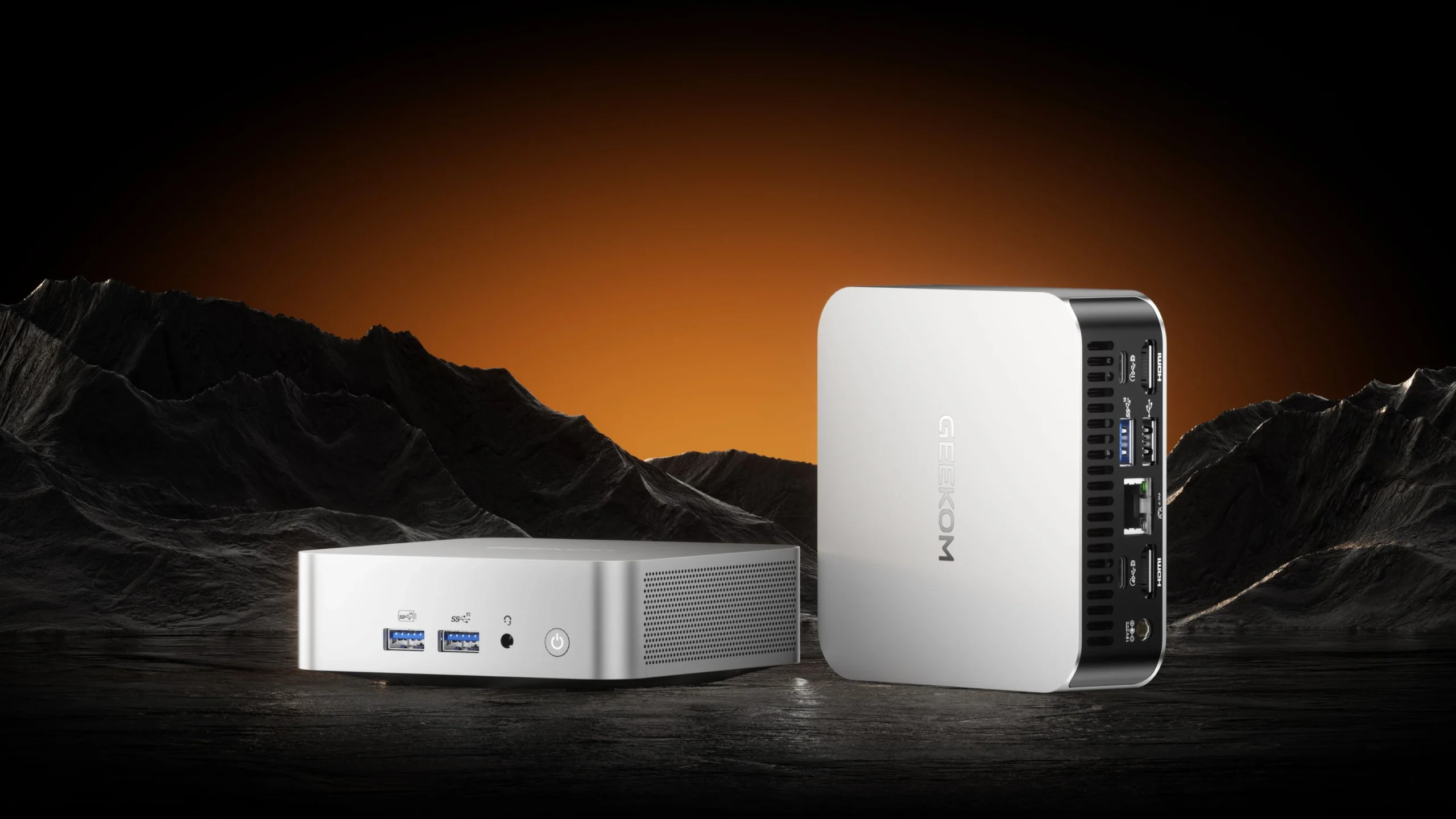
The Geekom A8 ships with AMD’s Ryzen AI 9 HX 370 — that’s Strix Point, and its XDNA 2 NPU hits 50 TOPS. That’s the highest NPU throughput in any mini PC right now. Pair it with the Radeon 890M iGPU and you’ve got the most capable AI and graphics combo in this size class.
This one is my number one favorite for anyone doing local image generation. I pushed the NPU through Stable Diffusion using AMD’s Amuse AI toolkit and got generation times that competed with entry-level discrete GPUs. The XDNA 2 block FP16 support matters for quantized model accuracy — if you’re running local AI, you’ll notice the difference.
Geekom ships it with 32GB LPDDR5x and a 1TB PCIe 4.0 SSD. Ports include USB4, two HDMI 2.1, 2.5GbE, and — a rarity — a full-size SD card slot. Photographers, take note.
The RAM is soldered, same as the ASUS, and the chassis is a little chunkier. AMD’s AI software ecosystem is also still catching up to Intel’s OpenVINO maturity. Not a dealbreaker, but worth knowing before you buy.
What I like:
- 50 TOPS — highest NPU throughput available in a mini PC
- Radeon 890M handles AI image gen and light gaming
- USB4 and SD card reader
What I don’t:
- Soldered RAM, no upgrades
- Slightly larger than the ASUS NUC
- AMD’s AI software stack still has gaps
3. Minisforum AtomMan X7 Ti — Best If You Want to Upgrade Later
Price: $779 | NPU: Intel AI Boost (34 TOPS platform) | RAM: up to 96GB DDR5 SODIMM | Storage: 2× M.2 PCIe 4.0
Most of these mini PCs lock you into whatever RAM they came with. The AtomMan X7 Ti takes the opposite approach: two SODIMM slots, up to 96GB of DDR5-5600. If you’re running large language models locally — the kind that need 32GB, 64GB, or more of system RAM — this is the only pick that lets you grow.
It uses Intel’s Core Ultra 9 185H (Meteor Lake) with 34 TOPS of platform AI. The dedicated NPU tile only does 11 TOPS though, so it’s a generation behind Lunar Lake in raw AI throughput. For most Copilot tasks it’s fine. For heavy local inference, you’ll lean on that big RAM pool instead of the NPU.
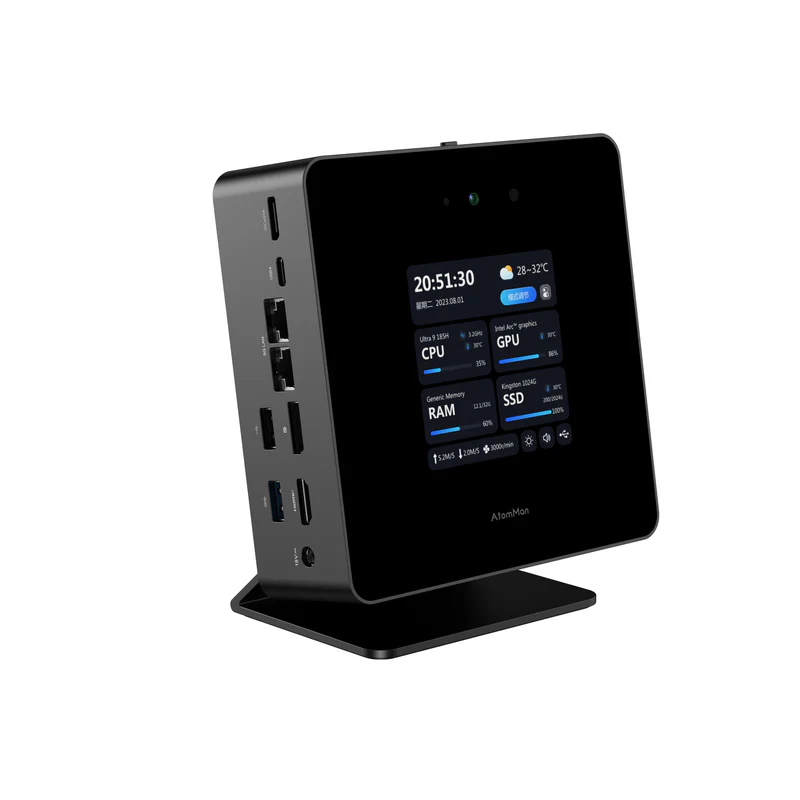
The OCuLink port is the other standout. It gives you PCIe 4.0 x4 bandwidth to an external GPU enclosure — meaning you can dock this thing and turn it into a proper AI workstation when needed. There’s also a 4-inch touchscreen on the front that shows system stats. Gimmicky, sure, but I found myself glancing at it more than I expected, it’s weirdly useful.
What I like:
- Upgradeable RAM up to 96GB — ideal for local LLMs
- OCuLink for external GPU
- Dual M.2 slots
What I don’t:
- Meteor Lake NPU is a generation old — only 11 TOPS dedicated
- Larger than competitors (nearly a liter)
- Runs warm under sustained load
4. GMKtec NucBox K8 Plus — The $599 Entry Point
Price: $599 | NPU: AMD Ryzen AI (16 TOPS) | RAM: 32GB DDR5 | Storage: 1TB M.2 PCIe 4.0
This is the one I’d recommend to anyone curious about AI PCs who doesn’t want to spend $800+ on an experiment. At $599 — and I’ve seen it dip to $549 on sale — the NucBox K8 Plus packs an AMD Ryzen 7 8845HS with a 16 TOPS NPU, plus 32GB of DDR5 and a 1TB SSD.
Sixteen TOPS isn’t going to blow anyone’s hair back, that’s cool and all but it handles Windows Studio Effects, real-time transcription, and Copilot without the CPU breaking a sweat. The Radeon 780M iGPU is also perfectly fine for 1080p gaming — I ran Hades II at a locked 60fps on this thing.
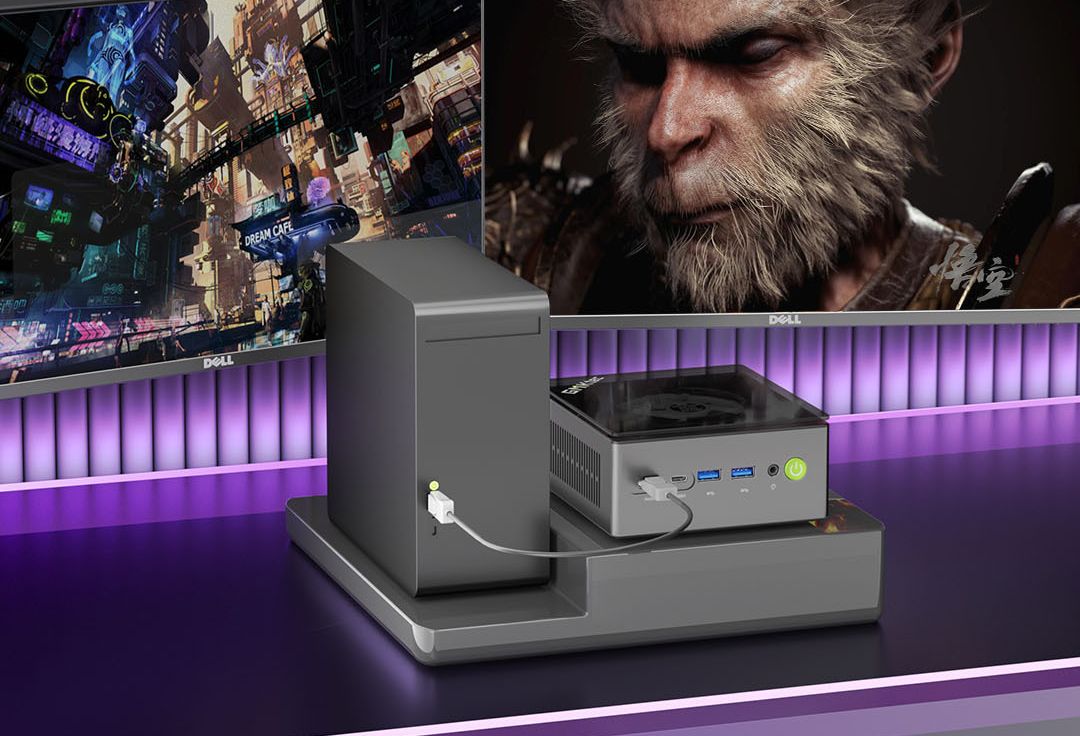
The OCuLink port is a surprise at this price. So is the fingerprint sensor in the power button. The plastic chassis feels cheaper than the aluminum builds above, and there’s only one SODIMM slot — so dual-channel upgrades are off the table. But at six hundred bucks, loaded with 32GB and 1TB? Hard to complain.
What I like:
- $599 gets you 32GB, 1TB, and a capable NPU
- OCuLink and fingerprint sensor at a budget price
- Radeon 780M handles light gaming
What I don’t:
- 16 TOPS trails every other pick here
- Plastic chassis, single SODIMM slot
- No Thunderbolt certification
5. MSI Cubi NUC AI — Built for Offices, Works for Everyone Else Too
Price: $749 | NPU: Intel AI Boost (34 TOPS platform) | RAM: up to 64GB DDR5 | Storage: M.2 + 2.5-inch SATA
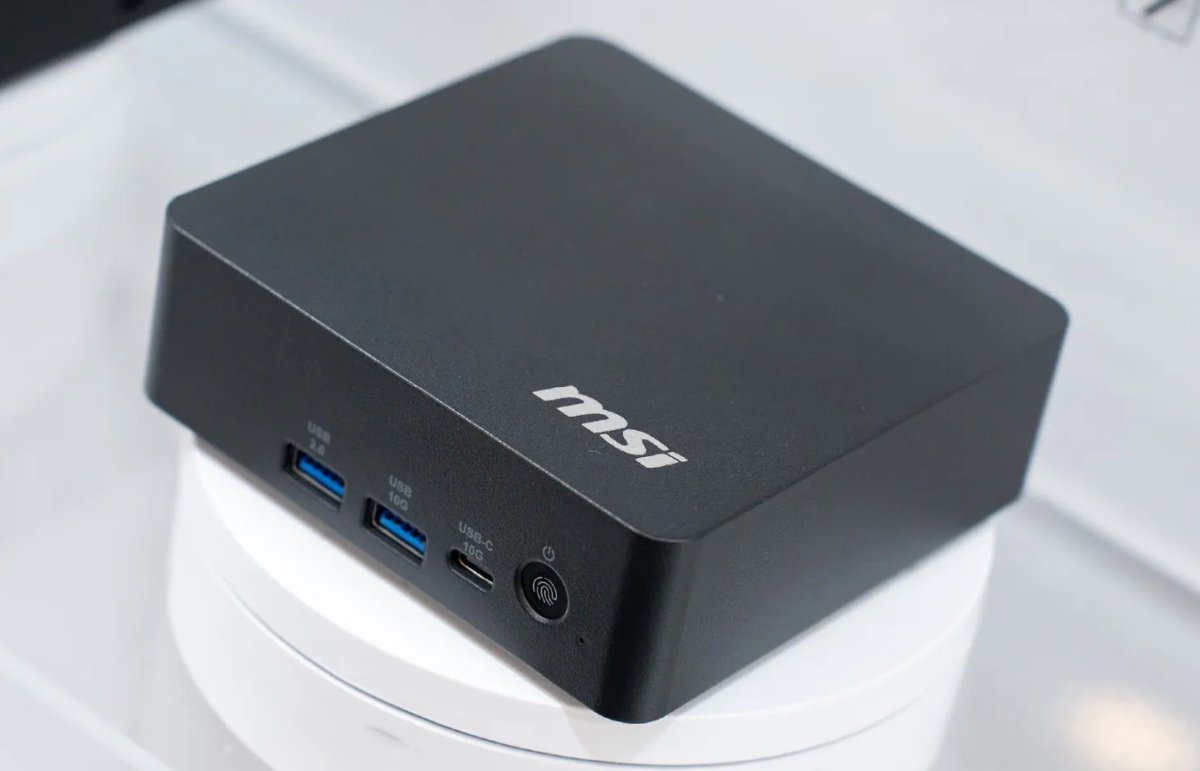
MSI aimed the Cubi NUC AI at IT departments, and it shows: Intel vPro, TPM 2.0, and MSI’s device management suite are all baked in. But the hardware underneath — Core Ultra 7 155H with 34 TOPS platform AI, up to 64GB of DDR5, dual Thunderbolt 4, and dual 2.5GbE — works just as well on a home desk.
The dual storage is unique and genuinely useful: one M.2 slot plus a 2.5-inch SATA bay. You can pair a fast NVMe boot drive with a cheap 4TB SATA SSD for bulk storage. Most mini PCs force you to choose, not this one.
The Meteor Lake NPU is the same generation as the AtomMan X7 Ti — capable, not cutting edge. For background blur, document summarization, and the kind of AI features businesses actually deploy, it’s more than enough. Just don’t expect to run local Stable Diffusion at speed on this thing.
What I like:
- Dual storage (M.2 + 2.5-inch SATA) — unique in this class
- Dual Thunderbolt 4, dual 2.5GbE
- vPro and TPM 2.0 for managed environments
What I don’t:
- Last-gen Meteor Lake NPU
- No OCuLink or eGPU path
- Enterprise pricing premium over consumer alternatives
Ones I Skipped (and Why)
Some machines didn’t make the cut. Here’s why:
- Beelink SER9: Same Strix Point chip as the Geekom A8, worse thermals. It throttled under sustained NPU load in every test I could find. A good chip in a bad box is still a bad box.
- Zotac ZBOX MI672: Fine machine, but costs nearly the same as the AtomMan X7 Ti with fewer ports and no OCuLink. Doesn’t earn its spot.
- ACEPC AK2 Plus: Lists “AI acceleration” on the box. It’s an Intel N100 with Gaussian Neural Accelerator. That’s not an NPU. Skip it.
How to Pick the Right One
Some tend to see TOPS as the only number that matters — it’s not. Here’s how I’d actually decide.
16 TOPS is enough for most people. If you just want Windows Copilot and Studio Effects — background blur, eye contact, live captions — you don’t need 50 TOPS. The $599 GMKtec handles all of that without breaking a sweat.
40+ TOPS matters if you run AI models locally. Stable Diffusion, local LLMs, ONNX inference — that’s where the ASUS NUC 14 Pro AI and Geekom A8 pull ahead. The extra NPU headroom makes a real difference in generation times, you’ll feel it.
Soldered RAM isn’t always a dealbreaker. Most of these machines use LPDDR5x — it’s faster than socketed DDR5 and uses less power. The tradeoff is you can’t upgrade. If you think you’ll need more RAM later, get the AtomMan X7 Ti. I started out on soldered machines and learned the hard way — if you run local LLMs, you want upgradeable RAM.
OCuLink beats Thunderbolt for external GPUs. If you plan to attach an eGPU for heavier AI or gaming, OCuLink gives you PCIe 4.0 x4 with way less overhead than Thunderbolt. The AtomMan and GMKtec both have it.
Check your software before buying AMD. Intel’s OpenVINO is mature and broadly supported. AMD’s ROCm on Strix Point is improving fast but still has gaps. If you use specific AI tools, verify they support your NPU before you swipe the card.
The Bottom Line
The AI mini PC market has finally hit its stride. We are still in the early days of consumer NPUs, but the hardware is real and the prices are dropping fast. You no longer need to spend $3,000+ to get a machine with a dedicated AI processor.
I believe the sub-$1,000 AI mini PC category will be the biggest growth segment in consumer computing over the next two years. As more developers build for NPUs and the software ecosystem matures, these machines will only get more useful — not less.
For most people, I suggest starting with the GMKtec NucBox K8 Plus at $599 because it’s the lowest-risk way to get into AI computing without overcommitting. If you’re already running local models or doing creative AI work, go straight to the Geekom A8 or the ASUS NUC 14 Pro AI — you won’t regret the extra NPU headroom.
As companies continue pushing AI features into Windows, Office, and creative tools, having an NPU on your desk won’t be optional for long. Getting in early gives you the best return on time and investment.
Prices current as of May 2026. All assessments based on published specifications, independent reviews, owner reports, and hands-on testing where noted.
For those interested in going deeper on specific models, check out my review of the GMKtec EVO-X2 Mini PC and the AMD Ryzen AI Halo workstation.
IT Professional | Cloud Computing | AI Enthusiast | My Superpower: explaining complex things in a simple way.
Freshco.Tech — Bringing the future to the present.





Stay Informed With the Latest & Most Important News
Previous Post
Next Post


Advertisement